Cinematic FX
Makes the live camera look like film: highlight bloom, color grade, vignette and grain.
R$ 24,90
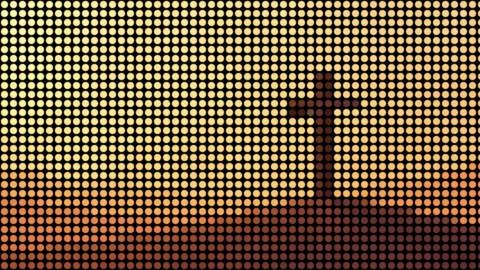
LED matrix, halftone or pixelate: the image becomes dots.
 Lab · move the controls
Turns the image into a grid of dots (circle, square, diamond, lines) or pixels. Size sets the cell, DotScale the dot size, Halftone makes dots follow brightness, Mono makes it B&W, Gain boosts brightness. Background: Black fills the holes with black (needed for effect clips); Transparent lets the layer below show through.
The same controls you get in Resolume.
| Parameter | Range / options | Default |
|---|---|---|
| Size | 2 – 128 | 16 |
| Shape | Circle / Square / Diamond / Lines / Pixelate | Circle |
| DotScale | 0 – 1.2 | 0.8 |
| Softness | 0 – 0.5 | 0.05 |
| Halftone | on/off | off |
| Mono | on/off | off |
| Gain | 0 – 3 | 1 |
| Background | Transparent / Black | Black |
Makes the live camera look like film: highlight bloom, color grade, vignette and grain.
CRT and VHS: curvature, scanlines, tracking and noise.
Flash, blackout, invert or color, full screen, vignette or frame, on the BPM.
Cuts the video into panels: rect, rounded, ellipse, diamond or window arch, with heights that morph over time.