Mosaic FX
Many copies of the camera: scrolling columns, a TV wall or a grid.
R$ 24,90
Double exposure: the same camera in layers, with the front one inside an arch.
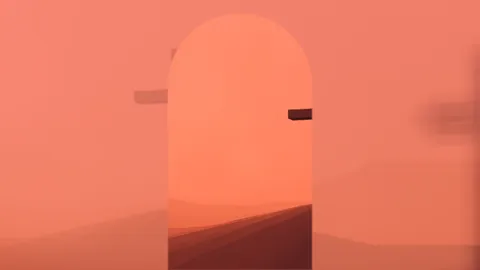 Lab · move the controls
Stacks the same image in up to 3 layers: an enlarged, blurred background (BackZoom, BackBlur, BackX/Y, BackOpacity), a middle one (MidZoom, MidX, MidOpacity) and a front one inside a frame (Frame: None, Rounded, Arch, Circle — FrameW, FrameH, FrameX, FrontZoom). Blend mixes the layers (Screen = double exposure); Drift slowly moves the background; Hue and TintAmount make it one color.
The same controls you get in Resolume.
| Parameter | Range / options | Default |
|---|---|---|
| Layers | 2 – 3 | 3 |
| Blend | Screen / Normal / Multiply / Lighten | Screen |
| BackZoom | 1 – 4 | 1.8 |
| BackBlur | 0 – 1 | 0.5 |
| BackX | -0.5 – 0.5 | -0.12 |
| BackY | -0.5 – 0.5 | 0.05 |
| BackOpacity | 0 – 1 | 0.75 |
| MidZoom | 0.5 – 3 | 1.25 |
| MidX | -0.5 – 0.5 | 0.28 |
| MidOpacity | 0 – 1 | 0.55 |
| Frame | None / Rounded / Arch / Circle | Arch |
| FrameW | 0.05 – 1 | 0.3 |
| FrameH | 0.1 – 1 | 0.95 |
| FrameX | 0 – 1 | 0.5 |
| FrontZoom | 0.5 – 3 | 1 |
| Drift | 0 – 1 | 0.4 |
| Hue | 0 – 1 | 0.99 |
| TintAmount | 0 – 1 | 0.55 |
Many copies of the camera: scrolling columns, a TV wall or a grid.
Pop-art collage: black lines slice the screen and each piece gets its own treatment.
Thermal camera: false colors, blown-out glow and a ghost motion trail.
Cuts the video into panels: rect, rounded, ellipse, diamond or window arch, with heights that morph over time.