Collage FX
Pop-art collage: black lines slice the screen and each piece gets its own treatment.
R$ 24,90
Many copies of the camera: scrolling columns, a TV wall or a grid.
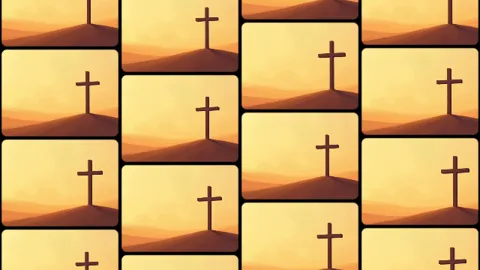 Lab · move the controls
Repeats the whole image across many screens. Layout: Columns (columns of copies scrolling up, down or alternating — Speed, Stagger, free or on the BPM), TV Wall (screens of varied widths stacked like bricks — SizeVar, Seed) or Grid. Gap, Radius and Bezel shape the screens; Variation gives each one its own zoom and framing; Shuffle reshuffles on the BPM in a cascade (Cascade); Fill Slice shows a piece of the big image; TintAmount colors everything.
The same controls you get in Resolume.
| Parameter | Range / options | Default |
|---|---|---|
| Layout | Columns / TV Wall / Grid | Columns |
| Columns | 1 – 40 | 8 |
| Tiles | 1 – 20 | 3 |
| Fill | Copy / Slice | Copy |
| Direction | Up / Down / Alternate | Alternate |
| Speed | -3 – 3 | 0.3 |
| Timing | Free / BPM | Free |
| Stagger | 0 – 1 | 0.35 |
| SizeVar | 0 – 1 | 0.6 |
| Gap | 0 – 0.1 | 0.012 |
| Radius | 0 – 1 | 0.12 |
| Bezel | 0 – 1 | 0 |
| Variation | 0 – 1 | 0.4 |
| Shuffle | Off / Beat / Bar | Off |
| Cascade | 0 – 1 | 0.5 |
| Seed | 0 – 100 | 0 |
| Hue | 0 – 1 | 0.6 |
| Saturation | 0 – 1 | 0.7 |
| TintAmount | 0 – 1 | 0 |
| Background | Transparent / Black | Black |
Pop-art collage: black lines slice the screen and each piece gets its own treatment.
Double exposure: the same camera in layers, with the front one inside an arch.
Thermal camera: false colors, blown-out glow and a ghost motion trail.
Cuts the video into panels: rect, rounded, ellipse, diamond or window arch, with heights that morph over time.